
Contents
- 🎯 The Core i3: Your Entry Point to Computing
- ⚙️ Under the Hood: What Makes an i3 Tick?
- ⚖️ i3 vs. The Field: Where Does It Stand?
- 💡 Who Needs an i3? The Target Audience
- 💰 Value Proposition: Price vs. Performance
- 🚀 Future-Proofing Your i3 Build
- 🛠️ Upgrading and Maintenance Tips
- 🌐 The i3 Ecosystem: Peripherals and Software
- Frequently Asked Questions
- Related Topics
Overview
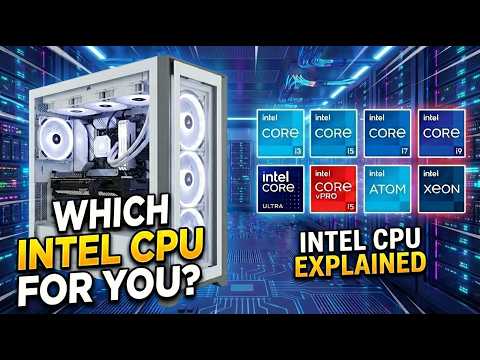
The Intel Core i3 processor has long been the go-to for budget-conscious consumers and mainstream users. While not boasting the raw power of its i5 and i7 siblings, the i3 punches above its weight, offering a solid foundation for everyday computing tasks like web browsing, document editing, and light media consumption. Its historical trajectory shows a consistent evolution, moving from dual-core designs to quad-core and even hybrid architectures, demonstrating Intel's commitment to making capable performance accessible. For those seeking a reliable, no-frills CPU that won't break the bank, the Core i3 remains a compelling choice, though understanding its specific generation and core count is crucial for matching it to your needs.
🎯 The Core i3: Your Entry Point to Computing
The Intel Core i3 processor is Intel's long-standing entry-level CPU, designed to offer a capable computing experience without breaking the bank. Think of it as the reliable sedan of the processor world: it gets you where you need to go for everyday tasks like web browsing, email, word processing, and light media consumption. While it won't win any speed races against its more powerful siblings, the i3 provides a solid foundation for budget-conscious users and those who don't push their systems to the extreme. Its primary appeal lies in its accessibility, making it a gateway into the world of personal computing for students, casual users, and small businesses.
⚙️ Under the Hood: What Makes an i3 Tick?
At its heart, the Core i3 has traditionally featured fewer cores and threads compared to i5, i7, and i9 processors. Early generations often sported dual-cores, while modern i3s (like the 12th Gen 'Alder Lake' and beyond) have adopted a hybrid architecture, combining Performance-cores (P-cores) with Efficient-cores (E-cores). This means even an entry-level chip can offer a surprising amount of multitasking capability. Clock speeds are generally lower than higher-tier CPUs, and cache sizes are more modest. However, Intel's integrated graphics (Intel UHD Graphics) have steadily improved, often sufficient for basic display output and casual gaming without a dedicated graphics card.
⚖️ i3 vs. The Field: Where Does It Stand?
When comparing the Intel Core i3 to its brethren, the distinction is clear. The Intel Core i5 typically offers more cores, higher clock speeds, and larger caches, making it the sweet spot for mainstream users who game or multitask more heavily. The Intel Core i7 and Intel Core i9 are performance powerhouses, aimed at enthusiasts, content creators, and professionals who demand the absolute best for demanding tasks like video editing, 3D rendering, and high-end gaming. AMD's Ryzen 3 series serves as a direct competitor, often offering comparable or even superior multi-core performance at similar price points, though Intel's integrated graphics have historically held an edge.
💡 Who Needs an i3? The Target Audience
The ideal candidate for an Intel Core i3 processor is someone whose computing needs are straightforward. This includes students who need a reliable machine for research, writing papers, and online classes; home users who primarily browse the web, check email, stream videos, and manage personal finances; and small businesses requiring workstations for administrative tasks, customer service, and basic office productivity. Gamers on an extremely tight budget might consider an i3 paired with a capable discrete GPU, but it's not the primary target for serious gaming performance. Anyone looking for a no-frills, dependable PC for everyday use will find the i3 a sensible choice.
💰 Value Proposition: Price vs. Performance
The Core i3's main draw is its affordability. You're getting a genuine Intel processor with access to the latest platform features (like DDR5 memory support on newer generations) at a fraction of the cost of higher-end chips. This allows for more budget allocation towards other crucial components like a solid-state drive (SSD) or a larger monitor. While its raw processing power is limited, the performance-per-dollar for basic computing tasks is exceptionally high. For users who don't need bleeding-edge performance, the i3 offers a compelling balance of cost and functionality, making PC ownership more accessible.
🚀 Future-Proofing Your i3 Build
While the Core i3 is an entry-level processor, that doesn't mean your system is destined for obsolescence. Newer generations of i3s, particularly those with hybrid architectures, offer significant performance gains over their predecessors. When building or buying a system, consider motherboards that support future CPU upgrades within the same socket generation. Pairing an i3 with a fast NVMe SSD and sufficient RAM (16GB is becoming the standard for comfortable multitasking) can significantly extend the usable lifespan of your PC. Intel's commitment to socket compatibility, though not always perfect, generally allows for at least one or two generations of CPU upgrades on the same motherboard.
🛠️ Upgrading and Maintenance Tips
Maintaining an i3-powered system is generally straightforward. Ensure your system has adequate cooling, even though i3s produce less heat than their higher-tier counterparts. Regular software updates, including Intel Driver & Support Assistant, are crucial for optimal performance and security. If you notice a slowdown, consider upgrading RAM or switching to an SSD if you're still on a traditional hard drive. For more advanced users, undervolting can slightly improve efficiency and reduce heat, though the gains are less pronounced than on higher-power CPUs. Cleaning dust from fans and heatsinks periodically also helps maintain thermal performance.
🌐 The i3 Ecosystem: Peripherals and Software
The Core i3 processor is just one piece of the puzzle. Its capabilities are amplified or limited by the surrounding components. A fast Solid State Drive (SSD) is arguably more critical than a high-end CPU for everyday responsiveness, drastically reducing boot times and application loading. Pairing the i3 with at least 8GB, preferably 16GB, of DDR4 or DDR5 RAM ensures smooth multitasking. For graphics, while integrated Intel UHD Graphics handle basic tasks, a dedicated entry-level graphics card can unlock light gaming and more demanding visual workloads. Software-wise, the i3 runs all standard Windows or Linux operating systems and applications, but heavy creative suites or AAA gaming titles will strain its resources.
Key Facts
- Year
- 2009
- Origin
- Intel Corporation
- Category
- Computer Hardware
- Type
- Processor Line
Frequently Asked Questions
Is an Intel Core i3 good enough for gaming?
It depends on the game and your expectations. A modern Core i3 can handle esports titles and older games reasonably well, especially when paired with a capable discrete graphics card. However, for demanding AAA titles or high refresh rate gaming, you'll likely find it a bottleneck. For budget gaming, it's a viable starting point, but don't expect top-tier performance.
What's the difference between Core i3 and Core i5?
The Core i5 typically offers more processing cores, higher clock speeds, and larger cache memory than a Core i3. This translates to better performance in multitasking, demanding applications, and gaming. The i5 is generally considered the mainstream sweet spot, while the i3 is the entry-level option.
Can I upgrade from an older Core i3 to a newer one?
Yes, often you can, provided the new i3 uses the same CPU socket as your motherboard. However, you'll need to check Intel's CPU support list for your specific motherboard model to confirm compatibility. A BIOS update might also be necessary before installing the new processor.
Do I need a dedicated graphics card with a Core i3?
For basic computing tasks like web browsing, office work, and video streaming, the integrated Intel UHD Graphics found on most Core i3 processors are sufficient. If you plan to play games, use graphics-intensive software, or connect multiple high-resolution displays, a dedicated graphics card is highly recommended.
How much RAM should I pair with a Core i3?
For general use, 8GB of RAM is the minimum. However, 16GB is strongly recommended for a smoother multitasking experience, especially if you frequently have multiple browser tabs open, run background applications, or use more demanding software. For budget builds, 8GB is acceptable, but 16GB offers better future-proofing.
Are Core i3 processors still relevant in 2024?
Absolutely. Core i3 processors remain highly relevant for budget-conscious users, students, and basic office workstations. Modern i3s, especially those with hybrid architectures, offer significantly improved performance over older generations, making them capable for a wide range of everyday computing needs.